
Install Prana on your paired Apple Watch
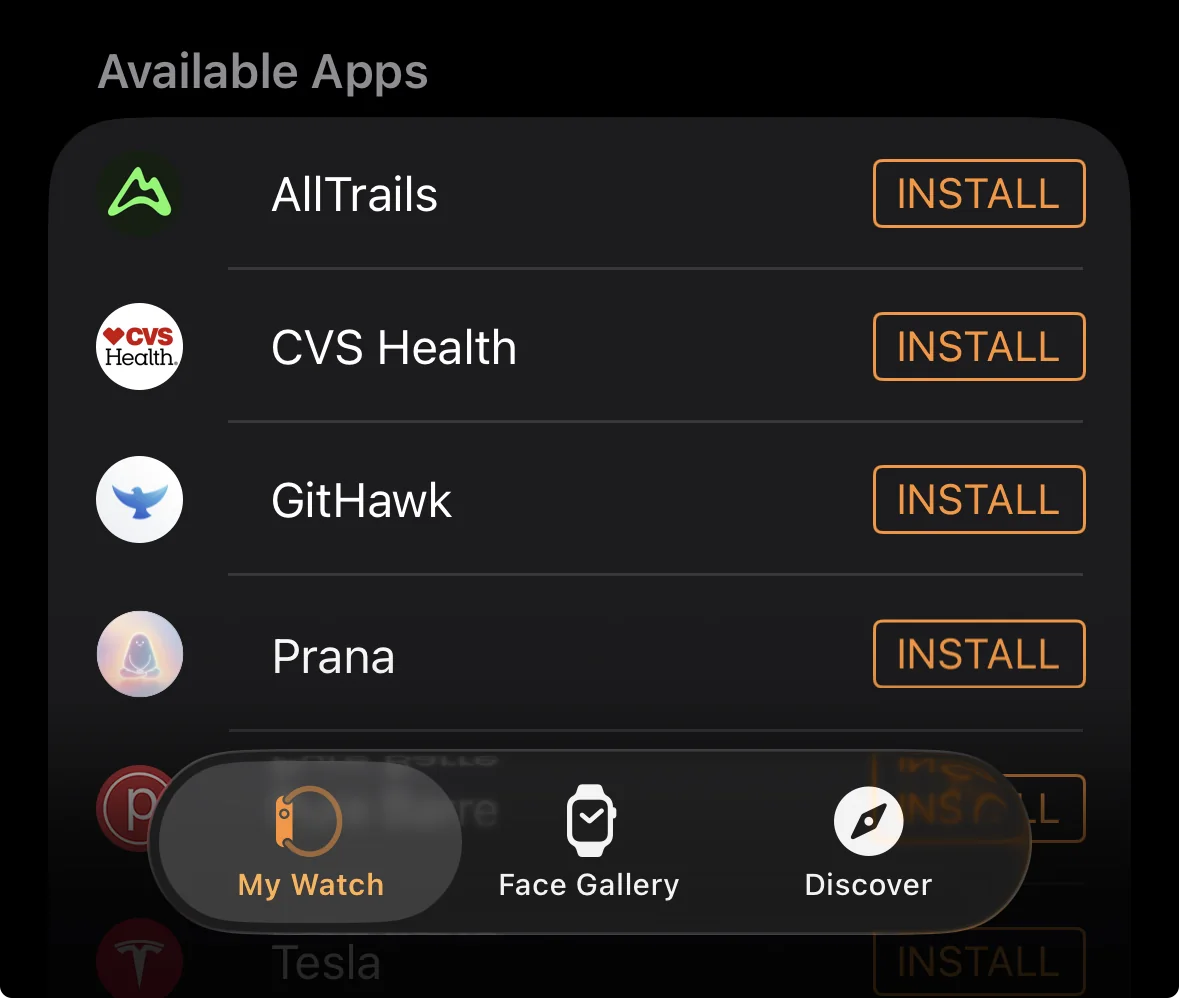
Start with the latest version of Prana on your iPhone and a paired Apple Watch. Install Prana on the watch through the Watch app on iPhone, then open Prana from your watch’s app list. All current Apple Watch features are free; there is no separate Watch purchase or subscription.
If you do not see Prana on the watch, confirm that the iPhone and Apple Watch are paired and that the companion app is installed. The Apple Watch experience depends on the iPhone companion app.
- Open the Watch app on your paired iPhone.
- Find Prana in the available apps list and install it on Apple Watch.
- Open Prana on the watch and choose Breathwork or Meditation.
Start a breathwork session or meditation timer
Choose Breathwork for Box Breathing, Equal Breathing, Calming Breath, or Sleep Reset. Each option has a fixed breathing pattern and lets you choose a 1-, 3-, or 5-minute practice.
Choose Meditation for an untimed quiet session or a timed meditation. Timed meditation options range from 1 minute to 60 minutes. A brief countdown gives you a moment to settle before the session starts.
- Select Breathwork or Meditation from the Prana home screen on Apple Watch.
- Choose a technique or timer length.
- Tap Start. Use the visual guide and haptic cues, then pause, resume, or end from the session controls when needed.
Find the completed session on iPhone
Prana keeps the completed session on the watch until it can send the details to the paired iPhone. Open Prana on iPhone after the devices connect to see the session in your history.
Sync timing can vary with connectivity. If a session has not appeared yet, keep the devices nearby, make sure Bluetooth is available, and open Prana on iPhone before trying again.
Common questions
Related answers
Which breathwork techniques are available on Apple Watch?
Prana on Apple Watch includes Box Breathing, Equal Breathing, Calming Breath, and Sleep Reset.
Can I pause a Watch-started session?
Yes. Swipe to the session controls on Apple Watch to pause or resume a supported session, or end it early if you need to stop.
Why has my Apple Watch session not appeared on iPhone?
Keep the paired devices connected, open Prana on iPhone, and give the session a moment to sync. A completed Watch session is sent to iPhone history when connectivity is available.
Do I need a paid plan to use the Apple Watch app?
No. All current Apple Watch features are free to use and do not require a separate Watch purchase or subscription.